Introduction

Diagnose vLLM server bottlenecks from live metrics.
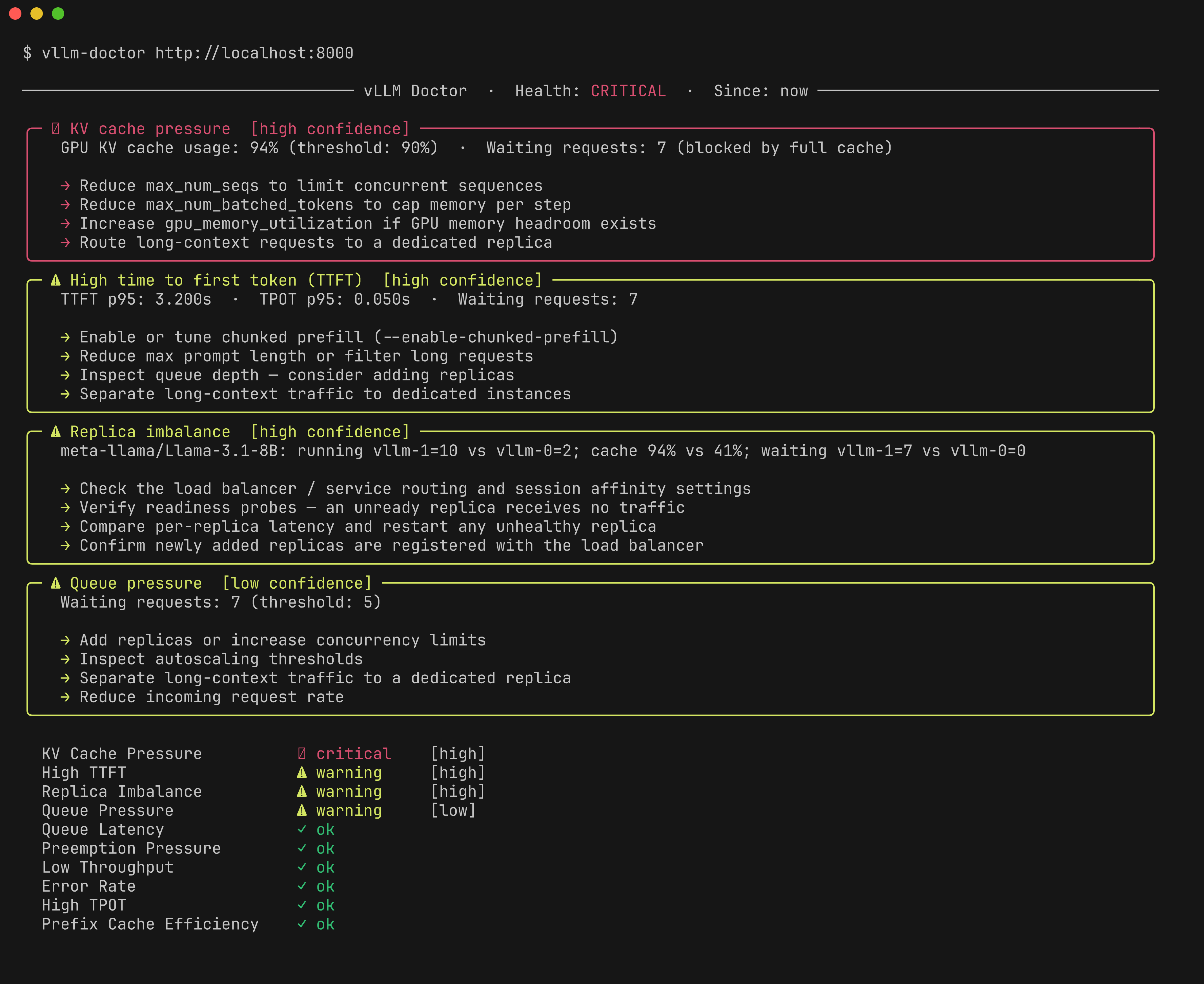
vLLM Doctor reads vLLM server metrics and turns them into diagnostic findings: what looks unhealthy, why it may be happening, and which vLLM settings are worth checking first.
vllm-doctor diagnose http://localhost:8000/metrics
Built for incident context
vLLM Doctor is not a dashboard replacement or benchmark runner. It is a fast server-side diagnostic snapshot for a single vLLM server or Prometheus target.
Features
- Built-in diagnosis rules — queue pressure, TTFT/TPOT bottlenecks, KV cache pressure, low throughput, error rate, replica imbalance, prefix cache efficiency, preemption pressure, queue latency
- Local history — persist runs with
--save, review withhistory listandhistory show - Watch change-log —
--save --watchonly persists when state changes (health or firing rules) - Dual input — Prometheus or direct
/metricsscrape - Structured output — rich text tables or JSON for automation
- Configurable thresholds — per-rule tuning via TOML
Why not just a dashboard?
Dashboards show metrics. vLLM Doctor explains server-side inference behavior.
| Dashboards | vLLM Doctor | |
|---|---|---|
| Shows raw metrics | ✓ | ✓ |
| Explains what's wrong | ✗ | ✓ |
| Recommends vLLM configs | ✗ | ✓ |
| Requires setup | ✓ | ✗ |
| Works on a single server | ✗ | ✓ |
How does this relate to GuideLLM?
GuideLLM is a good fit for generating workloads and measuring endpoint behavior. vLLM Doctor is a good fit for explaining server-side symptoms from vLLM metrics.
Used together, GuideLLM can create or replay load while vLLM Doctor helps explain bottlenecks such as queue pressure, KV cache pressure, high TTFT, or high TPOT.
Installation
pip install vllm-doctor
uv tool install vllm-doctor
Quickstart
vllm-doctor diagnose http://localhost:8000/metrics
Note
Direct scrape mode reads instant gauge values. Latency percentile rules (TTFT, TPOT) are not available — use Prometheus mode for full diagnosis.
vllm-doctor diagnose http://localhost:9090
Run with Docker
A prebuilt image is published to GitHub Container Registry:
docker run --rm ghcr.io/aminalaee/vllm-doctor diagnose <url>
<url> is your vLLM /metrics or Prometheus endpoint — the same argument the CLI takes — reachable from inside the container.
Example verbose output
─────────────────────────────────── vLLM Doctor  ·  Health: CRITICAL  ·  Since: now ────────────────────────────────────

╭─ ✖ KV cache pressure  [high confidence] ─────────────────────────────────────────────────────────────────────────────╮
│   GPU KV cache usage: 94% (threshold: 90%)  ·  Waiting requests: 7 (blocked by full cache)                           │
│                                                                                                                      │
│   → Reduce max_num_seqs to limit concurrent sequences                                                                │
│   → Reduce max_num_batched_tokens to cap memory per step                                                             │
│   → Increase gpu_memory_utilization if GPU memory headroom exists                                                    │
│   → Route long-context requests to a dedicated replica                                                               │
╰──────────────────────────────────────────────────────────────────────────────────────────────────────────────────────╯
╭─ ⚠ High time to first token (TTFT)  [high confidence] ───────────────────────────────────────────────────────────────╮
│   TTFT p95: 3.200s  ·  TPOT p95: 0.050s  ·  Waiting requests: 7                                                      │
│                                                                                                                      │
│   → Enable or tune chunked prefill (--enable-chunked-prefill)                                                        │
│   → Reduce max prompt length or filter long requests                                                                 │
│   → Inspect queue depth — consider adding replicas                                                                   │
│   → Separate long-context traffic to dedicated instances                                                             │
╰──────────────────────────────────────────────────────────────────────────────────────────────────────────────────────╯
╭─ ⚠ Replica imbalance  [high confidence] ─────────────────────────────────────────────────────────────────────────────╮
│   meta-llama/Llama-3.1-8B: running vllm-1=10 vs vllm-0=2; cache 94% vs 41%; waiting vllm-1=7 vs vllm-0=0             │
│                                                                                                                      │
│   → Check the load balancer / service routing and session affinity settings                                          │
│   → Verify readiness probes — an unready replica receives no traffic                                                 │
│   → Compare per-replica latency and restart any unhealthy replica                                                    │
│   → Confirm newly added replicas are registered with the load balancer                                               │
╰──────────────────────────────────────────────────────────────────────────────────────────────────────────────────────╯
╭─ ⚠ Queue pressure  [low confidence] ─────────────────────────────────────────────────────────────────────────────────╮
│   Waiting requests: 7 (threshold: 5)                                                                                 │
│                                                                                                                      │
│   → Add replicas or increase concurrency limits                                                                      │
│   → Inspect autoscaling thresholds                                                                                   │
│   → Separate long-context traffic to a dedicated replica                                                             │
│   → Reduce incoming request rate                                                                                     │
╰──────────────────────────────────────────────────────────────────────────────────────────────────────────────────────╯

  KV Cache Pressure          ✖ critical    [high]
  High TTFT                  ⚠ warning     [high]
  Replica Imbalance          ⚠ warning     [high]
  Queue Pressure             ⚠ warning     [low]
  Queue Latency              ✓ ok
  Preemption Pressure        ✓ ok
  Low Throughput             ✓ ok
  Error Rate                 ✓ ok
  High TPOT                  ✓ ok
  Prefix Cache Efficiency    ✓ ok

─────────────────────────────────────────────────── Observed Metrics ───────────────────────────────────────────────────

  Summary
  Requests Running                               12
  Requests Waiting                                7
  GPU Cache Usage          ███████████████████░ 94%
  Prefill Tokens/s                            390.0
  Decode Tokens/s                             252.0
  Requests Success                              114
  Requests Error                                  0
  Requests Aborted                                0
  TTFT p95 (s)                                3.200
  TPOT p95 (s)                                0.050
  Queue Time p95 (s)                          0.800
  Preemptions Total                               0
  Prefix Cache Hit Rate                         50%

─────────────────────────────────────────────── Observed Metrics per pod ───────────────────────────────────────────────

                       vllm-1    vllm-0
  Requests Running         10         2
  Requests Waiting          7         0
  GPU Cache Usage         94%       41%
  Prefill Tokens/s       80.0     310.0
  Decode Tokens/s        42.0     210.0
  Requests Success         30        84
  Requests Error            0         0
  Requests Aborted          0         0
  Preemptions Total         0         0
Documentation
Read the full documentation: https://aminalaee.github.io/vllm-doctor